Showing posts with label PC. Show all posts

Wednesday, April 20, 2022

Friday, April 15, 2022

Chrono Cross The Radical Dreamers Edition PC Ultimate Performance Guide

SpecialK local mode method (no installation/service)
1. Get rid of all previous tweaks, get rid of Nvidia Control Panel overrides, restore the exe to an unmodified exe, etc. 4GB Patch is not needed anymore
2. Download and extract the SpecialK Chrono Cross fix into the game's directory: https://sk-data.special-k.info/misc/SK_ChronoCross_FontFix.7z
3. Open the game through Steam, and set the game to Borderless Windowed in the launcher.
4. When starting the game, open the SpecialK Overlay with Ctrl+Shift+Backspace
5. Make sure the Frame Pacing is set to Unlocked with 0 in the first field and 7 in the second field.
6. Enable Frame Limiter and double click in the space and enter 60. Close the game and the launcher.
7. Download DXVK-Async: https://github.com/Sporif/dxvk-async and extract the dxgi.dll as dxvk_dxgi.dll and d3d11.dll from the x32 subfolder into the game's directory. 
8. Open the dxgi.ini file that SpecialK created when you opened the game and add the following to the bottom of the file:
[Import.DXVK]
Filename=dxvk_dxgi.dll
Role=dxgi
When=Proxy
Architecture=Win32
9. Done, now you have DXVK, 4GB patch which is included in SpecialK, Isa's Frame Pacing fix, and SpecialK's frame limiter/HDR fix/Font Fix.

SpecialK global injector installation/service method (SKIF)
1. Get rid of all previous tweaks, get rid of Nvidia Control Panel overrides, restore the exe to an unmodified exe, etc. 4GB Patch is not needed anymore
2. Download DXVK-Async: https://github.com/Sporif/dxvk-async and extract the dxgi.dll and d3d11.dll from the x32 subfolder into the game's directory
3. Set the game to Borderless Windowed and close the launcher.
4. Download and install Special K (global injector mode is required in order to work with dxvk): https://discourse.differentk.fyi/t/download-special-k/1461 (Click Installer and install as you would normally)
5. Right click the game in Steam and go to properties and add SKIF %COMMAND% to the Launch Commands (this allows you to never need to open SKIF and instead have it only open when the game is opened through steam, and it'll auto-close too.
6. Open the game once through Steam now so that SpecialK can create a profile folder. Close the game afterwards.
7. Download and extract the SpecialK Chrono Cross fix to a temporary folder https://sk-data.special-k.info/misc/SK_ChronoCross_FontFix.7z
8. Navigate to C:\Users\USERNAME\Documents\My Mods\SpecialK and copy and paste the dxgi.dll that you extracted earlier from the SpecialK Chrono Cross fix and rename it to SpecialK32.dll and replace the existing one.
9. Navigate to C:\Users\USERNAME\Documents\My Mods\SpecialK\Profiles\CHRONO CROSS THE RADICAL DREAMERS EDITION and copy and paste the SK_Res that you extracted earlier from the SpecialK Chrono Cross fix
10. Open the game through Steam and open the SpecialK Overlay with Ctrl+Shift+Backspace
11. Make sure the Frame Pacing is set to Unlocked with 0 in the first field and 7 in the second field.
12. Enable Frame Limiter and double click in the space and enter 60.
13. Done, now you have DXVK, 4GB patch which is included in SpecialK, Isa's Frame Pacing fix, and SpecialK's frame limiter/HDR fix/Font Fix.

Optional: Install Reshade (https://reshade.me/) for the game using Vulkan since you are using DXVK (it now works in Borderless Windowed)
Note: if the Steam overlay doesn't work for whatever reason and in turn your controller also doesn't work, then just press start and select with your controller and it'll open the SpecialK overlay, close it again and now the controller will work in-game. This however doesn't affect everyone. 


Credit to Saftle

Tuesday, April 12, 2022

[Updated]Chrono Cross The Radical Dreamers Edition Modest Upscaled FMV Mod


Right - upscaled


"These cutscenes are not extra sharp, super colorful nor high fps. They're upscaled just enough for them to not be blocky and full of noise, as Square Enix launched them, but not edited enough to depart from the creators vision.

As this is the "modest" mod, cutscenes are at the original 15 fps. If you want the extra smoothness of 30 fps through AI interpolation, I can release a 30 fps version in the future. But let me spoil you this: 15 fps cutscenes look and feel better for this game, specially with all the lags it has.

It had a horrible bug that made the game crash on a certain scene on a ship.
The only way for me to avoid that was to revert Kid's introduction and last Fort Dragonia cutscenes to their originals, but everything else is upscaled and working fine.
Hope I can bring these back in the future, when we find why those two specific cutscenes crashed the game."

Instructions: 
+ Open your game folder
-- If you don't know how to: Open Steam, right-click the game, select Manage, and then on Browse Local Files
+ Open the data folder
+ Paste and replace the downloaded movie.dat


Credit to Sir

Tuesday, September 14, 2021

[Rumor] Final Fantasy and Other Games From Nvidia GeForce Now Leak

"There are four Final Fantasy projects mentioned in the leak. Assuming the leak is accurate, it seems as though Final Fantasy fans may be able to look forward to Final Fantasy Tactics Remastered at some point down the line, alongside the long-rumored PC port of Final Fantasy 7 Remake, and an eventual PC port of Final Fantasy 16. Perhaps the most shocking game mentioned in the leak, though, is a Final Fantasy 9 remake, though it's possible that this is actually in reference to the existing enhanced version that already exists."


More FF games:
- Final Fantasy Legends: The Space-Time Crystal
- FINAL FANTASY DIMENSIONS II
- Kingsglaive: Final Fantasy XV Demo(?)
- Final Fantasy XV Pocket Edition
- Final Fantasy Origin

- Valkyrie Anatomia: The Origin
- Gunslinger Stratos Reloaded
- Gunslinger Stratos World
- Dragon Quest Rivals
- Chrono Cross Remaster
- ActRaiser Remake
- Tactics Ogre Remaster
- Unannounced title by Square Enix
- Unannounced Card Game 2

Thursday, September 9, 2021

Nioh: Complete Edition Free On Epic Games Store

Nioh: The Complete Edition
Ready to die? Experience the newest brutal action game from Team NINJA and Koei Tecmo Games. In the age of samurai, a lone traveler lands on the shores of Japan. He must fight his way through the vicious warriors and supernatural Yokai that infest the land in order to find that which he seeks.

Product includes:
Dragon of the North
This expansion opens up the Tohoku region, where the "one-eyed dragon" Date Masamune is secretly gathering spirit stones.

Defiant Honor
Fight your way through the Siege of Osaka's winter campaign as you follow the story of one of Japan's greatest generals from the Warring States period, the brave Sanada Yukimura.

Bloodshed's End
Join the summer campaign of the Siege of Osaka as the Warring States period draws to a close in this, the final chapter of William's tale.

PC Features:
Gamepad compatibility
4K Ultra-HD support*
Cross-play with Steam players
*Requires a monitor/PC components that support these modes.

Exclusive Bonus
An exclusive "Fujin Helmet" you can claim by selecting "Boons" from a shrine.

Sale ends 9/16/2021

Sunday, June 13, 2021

Stranger Of Paradise Final Fantasy Origin

With the memory of their struggle buried deep in their hearts...

FINAL FANTASY VII REMAKE veterans Tetsuya Nomura and Kazushige Nojima join forces with Team Ninja and Koei Tecmo to deliver a bold new vision for FINAL FANTASY. Get your first look at STRANGER OF PARADISE FINAL FANTASY ORIGIN. Coming to PlayStation 5, PlayStation 4, Xbox Series X|S, Xbox One, and PC in 2022.

Trial Version available on PlayStation 5 until June 24th, 2021.


Wednesday, June 9, 2021

Digimon Super Rumble Announced

Using Unreal Engine 4.
Turn-based battle system.
CBT registration(need Korean phone number): 9 June 2021 ~ 15 June 2021
CBT: 18 June 2021 ~ 20 June 2021 


Sunday, May 30, 2021

Monday, May 17, 2021

Weekly Smartphone Games Release Date(17 May 2021 ~ 21 May 2021)

18 May 2021
Counter:Side


19 May 2021
My Hero Academia Ultra Impact


Yu Yu Hakusho Genkai Battle Spirits


20 May 2021
MARS RED: Edge of The Nightmare


Tuesday, March 30, 2021

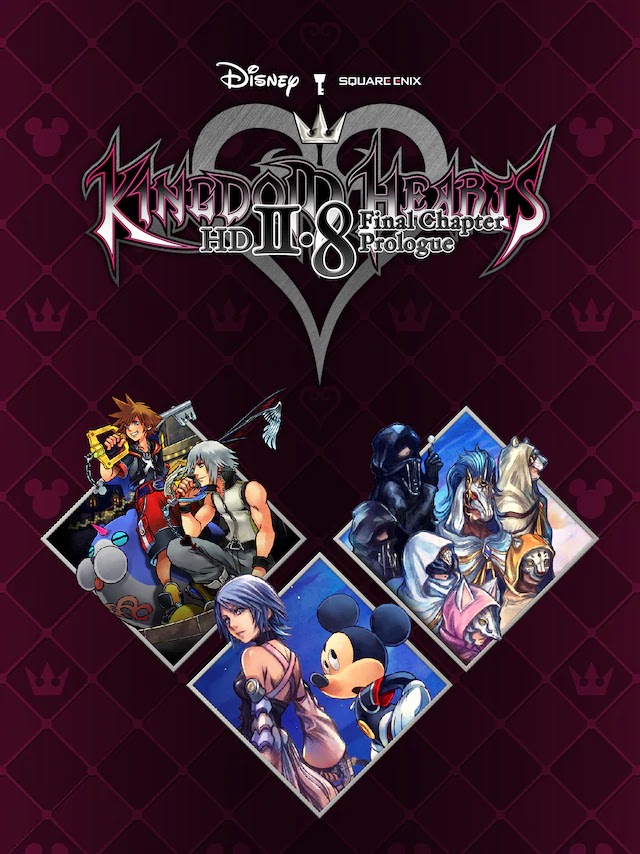
Kingdom Hearts Games Available Now On PC

KINGDOM HEARTS HD 1.5 + 2.5 ReMIX is an HD remastered collection is an essential collection, featuring:
• KINGDOM HEARTS FINAL MIX
• KINGDOM HEARTS Re:Chain of Memories
• KINGDOM HEARTS 358/2 Days (HD Remastered cinematics)
• KINGDOM HEARTS II FINAL MIX
• KINGDOM HEARTS Birth by Sleep Final MIX
• KINGDOM HEARTS Re:coded (HD Remastered cinematics)
$39.99 until 6 April 2021

KINGDOM HEARTS Dream Drop Distance HD: A full-HD remaster. Sora and Riku take on the Mark of Mastery exam in preparation for their coming showdown with Master Xehanort.
KINGDOM HEARTS χ Back Cover (movie): A new HD movie that tells the mysterious story of the Foretellers from the series’ origins
KINGDOM HEARTS 0.2 Birth by Sleep – A fragmentary passage – : A brand new episode that links to KINGDOM HEARTS III.

$47.99 until 6 April 2021

KINGDOM HEARTS III + Re Mind (DLC)
Purchase KINGDOM HEARTS III + Re Mind (DLC) and get 3 months of Disney+ on us! Offer available to new Disney+ subscribers aged 18+, in select countries only. Subscription automatically renews at the end of the 3 month period at your then-current local retail price unless canceled. Promotion ends May 31, 2021. Visit the FAQ for more information.

STORY
Sora is joined by Donald Duck and Goofy, two emissaries sent by King Mickey from Disney Castle, to stop an evil force known as the Heartless from invading and overtaking the universe. Through the power of positivity and friendship, Sora, Donald and Goofy unite with iconic Disney-Pixar characters old and new to prevail tremendous challenges and persevere against the darkness threatening their worlds.
Also includes Re Mind - the other tale that unfolded during the climax of KINGDOM HEARTS III. In this additional chapter, Sora travels to the Keyblade Graveyard determined to rescue Kairi and discovers truths that he never before imagined.

Key Features
• Exclusive new "Element Encoder" Keyblade with purchase
• Adventure in Disney and Pixar Worlds
• Unlock the Power of the Keyblades
• Relive Classic Disney Shorts Through Minigames
• Includes Re Mind (DLC)

$47.99 until 6 April 2021

KINGDOM HEARTS Melody of Memory
Featuring many characters from the KINGDOM HEARTS Series as playable characters. In some stages, Disney characters will appear as guest members to lend you a hand.
With tracks from both the KINGDOM HEARTS series and Disney, relive the music of this series with over 140 featured tracks. Battle solo or team up with a friend as you join Sora, Donald, and Goofy to battle the Heartless.

$47.99 until 6 April 2021

Friday, March 26, 2021

Blue Protocol Photo Mode

Zoom, angle adjustment, bokeh effect, etc

Monday, February 22, 2021

Final Fantasy VII | Satsuki Yatoshi Mod

 
The SYW mod represents the most accurate modern take on the PC version of Final Fantasy VII helped by deep learning techniques (such as ESRGAN). The package includes cleaner, more detailed and higher resolution background arts, battlefields, worldmap, magic effects, minigames and menus. All upscaled with AI.

The main goal of the SYW mod is to get as much as details as possible without having an oversharp and overclean effect; also to keep the rendering as natural as possible and constant in quality across the whole game.

This is a comparison between the Steam port & the SYW Mod. 

Thursday, October 1, 2020

Atelier Ryza 2 Product Info


GS Combo Set.
Switch JP. $451.99
PS4 JP. $451.99
  • Switch Game: Atelier Ryza 2: Lost Legends & The Secret Fairy
  • Special Collection Box content
  • Serial code to download the exclusive "Hyokkori!? Puni Tobidashi Chuui!" & "Narikiri Ao-puni" T-shirts for Ryza
  • Geheime Musikbuch ~Atelier Ryza 2 Special Arrange CD~ 
  • The Drama CD "Ano Natsu, Futatabi. ~Sukoshi Otona ni Natta Shoujo-tachi no Joshikai~
  • Acrylic diorama kit 『CRYSTELIER』Royal Capital Café Set 
  • Original Soundtrack

Special Collection Box
  • Switch Game: Atelier Ryza 2: Lost Legends & The Secret Fairy
  • Acyrlic diorama kit "Crystelier" - Ryza’s Ruins Exploration Kit
  • A1 tapestry featuring special illustration
  • Exploration Set Item #1: “Rainbow Jewel” LED light
  • Exploration Set Item #2: Ryza’s Mysterious Jewel Investigation Record
  • Exploration Set Item #3: Grimoire-style notebook
  • Exploration Set Item #4: Clint pattern ballpoint pen
  • Exploration Set Item #5: Ryza’s adventure pouch
  • Premium Box content
Special Collection Box 26,873 yen. 
Switch JP
PS4 JP $327.99

Premium Box
  • Switch Game: Atelier Ryza 2: Lost Legends & The Secret Fairy
  • Ryza costume downloadable content: "Dawn Sonnet" 
  • Tao’s Notebook (visual book)
  • B2 cloth poster featuring special illustration 
  • Clear file x 2
  • Acrylic mini character charm
Premium Box 11,935 yen.
PS4 JP. $113.99

GS Strong Galaxy Combo Set
  • Switch Game: Atelier Ryza 2: Lost Legends & The Secret Fairy
  • Special Collection Box content 
  • Limited illustrated B2 tapestry. Double Suede material.
  • Serial code to download the exclusive "Hyokkori!? Puni Tobidashi Chuui!" & "Narikiri Ao-puni" T-shirts for Ryza 
  • Geheime Musikbuch ~Atelier Ryza 2 Special Arrange CD~
  • The Drama CD "Ano Natsu, Futatabi. ~Sukoshi Otona ni Natta Shoujo-tachi no Joshikai~ 
  • Acrylic diorama kit 『CRYSTELIER』Royal Capital Café Set
  • Original Soundtrack
GS Strong Galaxy Combo Set. 41,173 yen.


Switch
Regular ver.
US. 31 December 2020. $59.99
JP. 3 December 2020. $74.99
EUR.  $59.99

PS4
Regular ver.
US. 31 December 2020. $59.99
JP. 3 December 2020. $73.99
EUR. $59.99

PS5(Physical ver. cancelled)


Add caption

Gust Shop Limited Pre-order Bonus. Clear File.

Gust Shop Limited Pre-order Bonus #2. Staff Rubber Key Cover

Monday, September 21, 2020

Unofficial Port of Super Mario 64


"This is now possible thanks to the work of XDA Member VDavid003. With the effort done on rewriting the source code in the programming language C, Super Mario 64 has been ported to Android (and also as a WIP on Dreamcast). VDavid003 has created a GitHub repo that you can use to compile an APK version of the game on your PC or directly on your Android device. For it to work, you must provide your own copy of Super Mario 64."

Android. Use this repo if you want to compile the app on PC
Guide:
1.  Get Termux app from Google Play Store.
2. Install required dependencies inside Termux:
pkg install git wget make python getconf zip apksigner clang

3. Clone appropriate repository with git:
git clone https://github.com/VDavid003/sm64-port-android
cd sm64-port-android

4. Copy the game's baserom with Termux. You must provide your own copy of the game.
termux-setup-storage
cp /sdcard/path/to/your/baserom.z64 ./baserom.us.z64

5. Get SDL includes:
./getSDL.sh

6.   Start the build:
# if you have more cores available, you can increase the --jobs parameter
make --jobs 4

You can increase the value of the “jobs” parameter depending on how many CPU cores you can devote to the building process.

7. If things go well, the resulting Super Mario 64 APK should be found inside the “build” folder:
ls -al build/us_pc/sm64.us.f3dex2e.apk

For building native executables on Linux:
Linux
1.   Install prerequisites (Ubuntu): sudo apt install -y git build-essential pkg-config libusb-1.0-0-dev libsdl2-dev.

2. Clone the repo: git clone https://github.com/sm64-port/sm64-port.git, which will create a directory sm64-port and then enter it cd sm64-port.

3. Place a Super Mario 64 ROM called baserom..z64 into the repository's root directory for asset extraction, where VERSION can be us, jp, or eu.

4. Run make to build. Qualify the version through make VERSION=. Add -j4 to improve build speed (hardware dependent based on the amount of CPU cores available).

5. The executable binary will be located at build/_pc/sm64..f3dex2e.

Windows
1.   Install and update MSYS2, following all the directions listed on https://www.msys2.org/.
2. From the start menu, launch MSYS2 MinGW and install required packages depending on your machine (do NOT launch "MSYS2 MSYS"):
  • 64-bit: Launch "MSYS2 MinGW 64-bit" and install: pacman -S git make python3 mingw-w64-x86_64-gcc
  • 32-bit (will also work on 64-bit machines): Launch "MSYS2 MinGW 32-bit" and install: pacman -S git make python3 mingw-w64-i686-gcc 
  • Do NOT by mistake install the package called simply gcc.
3. The MSYS2 terminal has a current working directory that initially is C:\msys64\home\ (home directory). At the prompt, you will see the current working directory in yellow. ~ is an alias for the home directory. You can change the current working directory to My Documents by entering cd /c/Users//Documents.

4. Clone the repo: git clone https://github.com/sm64-port/sm64-port.git, which will create a directory sm64-port and then enter it cd sm64-port.

5. Place a Super Mario 64 ROM called baserom..z64 into the repository's root directory for asset extraction, where VERSION can be us, jp, or eu.

6. Run make to build. Qualify the version through make VERSION=. Add -j4 to improve build speed (hardware dependent based on the amount of CPU cores available).

7. The executable binary will be located at build/_pc/sm64..f3dex2e.exe inside the repository.

Troubleshooting
  • If you get make: gcc: command not found or make: gcc: No such file or directory although the packages did successfully install, you probably launched the wrong MSYS2. Read the instructions again. The terminal prompt should contain "MINGW32" or "MINGW64" in purple text, and NOT "MSYS".
  • If you get Failed to open baserom.us.z64! you failed to place the baserom in the repository. You can write ls to list the files in the current working directory. If you are in the sm64-port directory, make sure you see it here. 
  • If you get make: *** No targets specified and no makefile found. Stop., you are not in the correct directory. Make sure the yellow text in the terminal ends with sm64-port. Use cd to enter the correct directory. If you write ls you should see all the project files, including Makefile if everything is correct.
  • If you get any error, be sure MSYS2 packages are up to date by executing pacman -Syu and pacman -Su. If the MSYS2 window closes immediately after opening it, restart your computer. 
  • When you execute gcc -v, be sure you see Target: i686-w64-mingw32 or Target: x86_64-w64-mingw32. If you see Target: x86_64-pc-msys, you either opened the wrong MSYS start menu entry or installed the incorrect gcc package.
Source:
GBAtemp

Wednesday, August 12, 2020

Little Witch Academia: VR Broom Racing


"Little Witch Academia: VR Broom Racing" (LWAVR) takes off October 13, 2020, on Oculus Quest, featuring English and Japanese language text and voice acting. Versions for PlayStation VR, Oculus Rift, and SteamVR follow in early 2021.

LWAVR Official Web: https://lwa-vr.com/en/

[Game Info]
Title: Little Witch Academia: VR Broom Racing
Genre: VR Magic Broom Racing Game
Release: Oct. 13, 2020, Oculus Quest
Early 2021 PlayStationVR / Oculus Rift / SteamVR

Main Theme Song “Dream Flight”
Written and Composed by Yuiko Ohara
Arranged by Minoru Yoshida
Performed by YURiKA

Original Story: TRIGGER / Yoh Yoshinari
Supervision: ”Little Witch Academia” Committee
Director: Junichi Yamamoto
VR Production: UNIVRS, Inc.

Thursday, July 23, 2020

Phantasy Star Online 2 New Genesis Announced


4K resolution available

Celebrating PSO’s 20th anniversary, PSO2: NGS is the latest entry in the series, updating PSO2’s game system and graphics engine. We’re planning to release this update on a global scale, including Japan and North America.

Platform: PS4, PS5, Xbox One, Xbox S, Windows PC, Cloud ver.(Nintendo Switch/PC).
Release date: 2021.


Follow up PV


Features:
- Open World Action RPG
- Photon Dash
- Photon Glide
- New Character Creation
- New Battle System
- Characters created on NGS can be used on PSO2
- Characters created on PSO2 or NGS can be shared in both game.

Differences:
These can't be used on NGS:
- Skill Ring
- Usable battle, power up items
- Boost type items
- Material items
- Room goods

Player Data
- AC/SG can be used on both games
- Game's currency like Meseta, FUN can't be shared because it affects game balance.
- Character's enhancements can't be shared. For example:
      - Level
      - EXP
      - Class Skill
      - Photon Arts
      - Technique
- Weapons, Units, MAGs obtained in PSO2 can be shared but might be changed to adjust to NGS game system(features, appearance, etc).

Weapon
Weapon's design doesn't change but parameter, effect, potency will be changed.
Some weapons with high rarity can't be equipped if the character's level requirement not achived.
Can't use the weapons if the relevant class hasn't been implemented, .

Unit
NGS's unit is armor without changes to looks. Units that doesn't change the looks obtained from PSO2 are the same in NGS.
Some units with high rarity can't be equipped if the character's level requirement not achived.

MAG(increases status)
NGS doesn't have MAG, support features in battle. Evolution Devices shared between PSO2 and  NGS
http://pso2.jp/players/news/i_pso2_ngs/


Sword Art Online Alicization Lycoris ReoNa


Available with 1.03 update


Pre-order:
Play-Asia: PS4  US($59.99), EUR($59.99), JP($69.99), JP Limited Edition($139.99), Asia English($59.99)
                 Xbox One  US($59.99), EUR($59.99)
Amazon: PS4 ($59.99)
                Xbox One ($59.99),  Xbox One Digital Code($59.99), Xbox One Standard Month 1 Edition Digital Code ($59.99) Purchase this edition, available until August 13, 2020, and get the following content as a bonus: 4 costumes from the Design Contest, Xbox One Premium Pass Digital Code ($44.99) The Premium Pass is composed of 2 big DLCs and contains:
  • New scenarios
  • New weapons
  • New bosses
  • New maps
  • New cutscenes
  • The Premium Pass bonus costume